Wii U Mario Kart 8 Promotion brings Club Nintendo to its knees


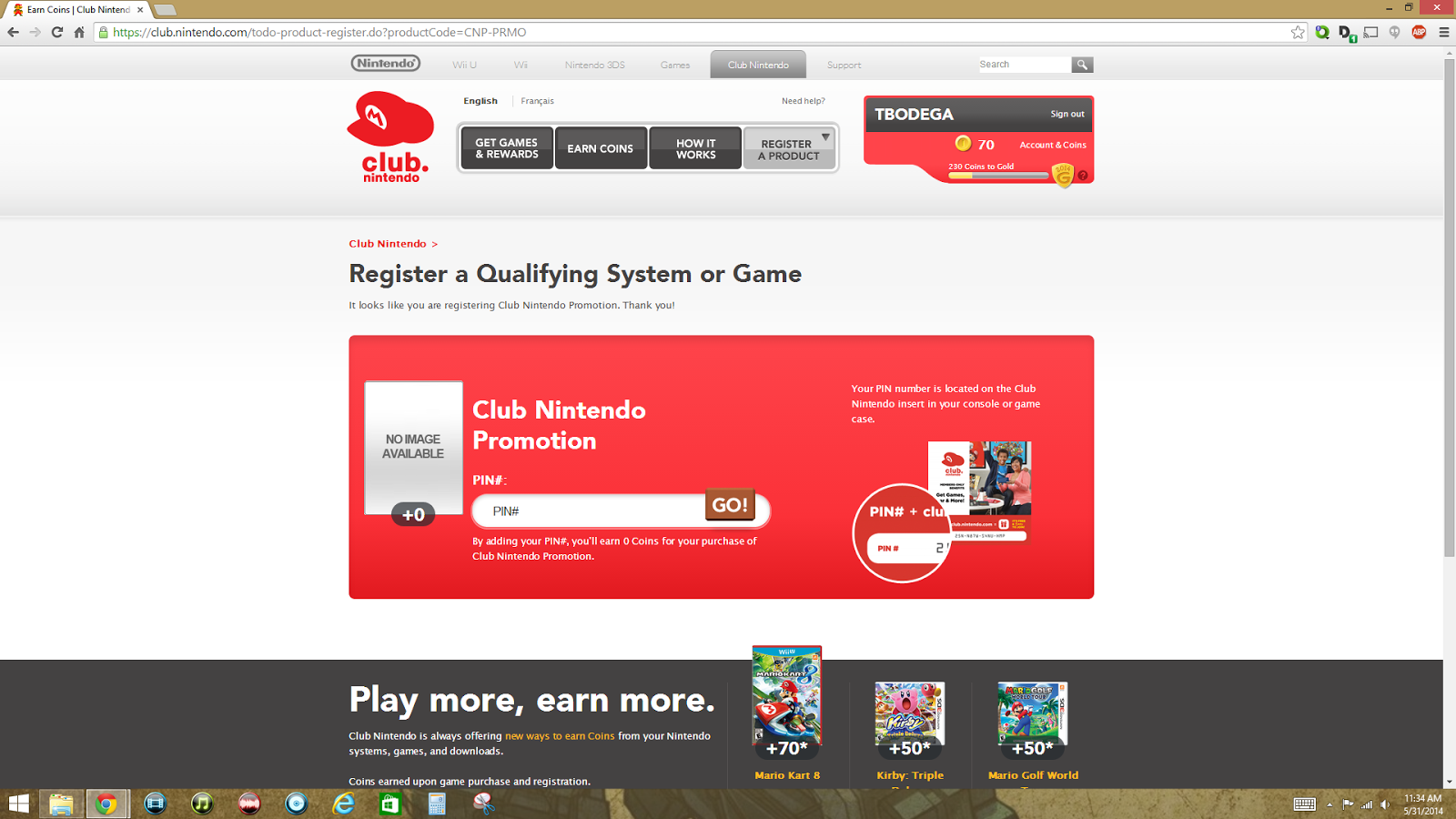
With the recent release of the highly anticipated Mario Kart 8 for the Wii U, Nintendo sweetened the deal by offering early adopters a choice of four games with purchase.  You simply buy the game, register it to your account on the Club Nintendo site, and it will offer you a download code for one of four games.


  1. The Legend of Zelda: The Wind Waker HD
  2. Pikmin 3
  3. New Super Mario Bros. U
  4. Wii Party U
The highly anticipated game was release on May 30th, and the promo offer extends until July 31st for game registration. Once registered, Nintendo will allow you to claim your download by August 31st.   The problem is that the Club Nintendo site has been brought down to its knees due to this offer.  Logging in is currently an exercise in patience.  Registering the game mostly works, but when you attempt to get your code, it will either log you out, or loop you endlessly in re-registering the game and then error out. 


How Nintendo could have underestimated the traffic that this would generate is unfathomable.  Even if they did not, the Wii U is not exactly its best selling system.  The adoption rate for it is still fairly low, and unless they quintupled their Wii U sales overnight, Nintendo should have been better prepared for this.  


Club Nintendo will drag you through endless loops at this time, unless you get lucky.
I did almost get through one time, was allowed to choose from one of the four games, and then after I selected Wind Waker HD, I was looped right back to the registration page.  It's extremely annoying to say the least, and has not encouraged any thoughts of Nintendo understanding the "online" experience.

For the more patient among you, this is the time to rack up on three games for the price of 1.5 games.  Toys R Us currently has a promotion where you can buy Mario Kart 8, and get 40% off an eligible second Wii U game at the same price or lower.  Once done, I should have Mario Kart 8, Donkey Kong: Tropical Freeze, and Wind Waker HD for less than one hundred bucks.  Not a bad deal.  

Have you had a better or worse experience with this special offer?  Sound off in the comments section below and let the world know!


If you like this page, or any of my articles, please feel free to click on an ad when visiting.  It helps keep the blog going.  If that sounds like too much work, then please share the blog with your friends! I love visitors!

Comments

Popular posts from this blog

Drastic - The Nintendo DS emulator for Android

Phoenix Wright on the 3DS on the left and Nexus 5 on the right In the last decade, the power that has become available to mobile devices has grown at an amazing pace.  Games that were once only available on high end arcade systems or the latest consoles are now playable on devices that fit in your pocket.  Loading up games like Need for Speed, Horn, Shadowgun, Final Fantasy, or even Grand Theft Auto show that mobile gaming has come a long way in a short time. Enter the Nintendo DS, a dual screened mobile system that was released in November 2004 that rendered 3D games and featured a resistive touch screen as well as an impressive game library.  Surely, such a recent system should be difficult to emulate on mobile phones, right?  With Drastic, the NDS emulator on android, the answer is "NO." Drastic is a full speed Nintendo DS emulator that is currently priced at $5.99 on the Google Play store.   There is also a free demo that allows gaming sessions for 3...

Final Fantasy III Android Updated: Now with Cloud saves and Controller Support

Lifesperience is now Raycommend, which can be found here:    Ray Commend   Like the headline says, Square Enix finally updated Final Fantasy 3 with Cloud Saves, as well as support for many physical controllers.  After booting up the updated game on my Nexus 5, I was greeted with the new and very blue cloud save icon on the top right of my screen. In case that you missed it, the cloud save icon is on the top right of the screen. I started a new game and played just enough to defeat the first boss of the game, and once in the overworld, I saved my file and tested the cloud save system.  Afterwards, I quit my game, and logged onto my Nexus 7. The cloud save menu is simple but functional Once the game booted up on my Nexus 7, I once again pressed the Cloud Save icon and was able to continue from my save file.   The interesting thing about this system is that it does not use Google Play games.  It will instead upload to your Google drive ...

Retron 5 hacked to launch RetroArch and play ROMS off your SD card

It appears that a someone going by the screenname of  RetroN Labo  on Youtube has successfully hacked the Retron 5 console to run the full version of  Retroarch.  In the video shown, various emulators that are not part of the original firmware are playable including the PC Engine, Playstation One, Nintendo DS, and Wonderswan.  As the stock firmware from the Retron 5 is programmed to load games from an original cartridge when it is inserted, this hack appears to run ROM and ISO files, most likely from the SD card slot built into the back of the console. In most of instances shown in the video, emulation appeared to run smooth, and the games previewed looked playable. Currently, Hyperkin (Retron 5 manufacturer) is in hot water with Retroarch's creators due to using their emulator cores without permission.  After being discovered, Hyperkin has shared their code, and claims that they have removed any infringing code from their console. ...